Support Center
Find answers to common questions about Syla eSIMs and our services
Is my device compatible with eSIM?
Checking if your device supports eSIM only takes a few seconds.
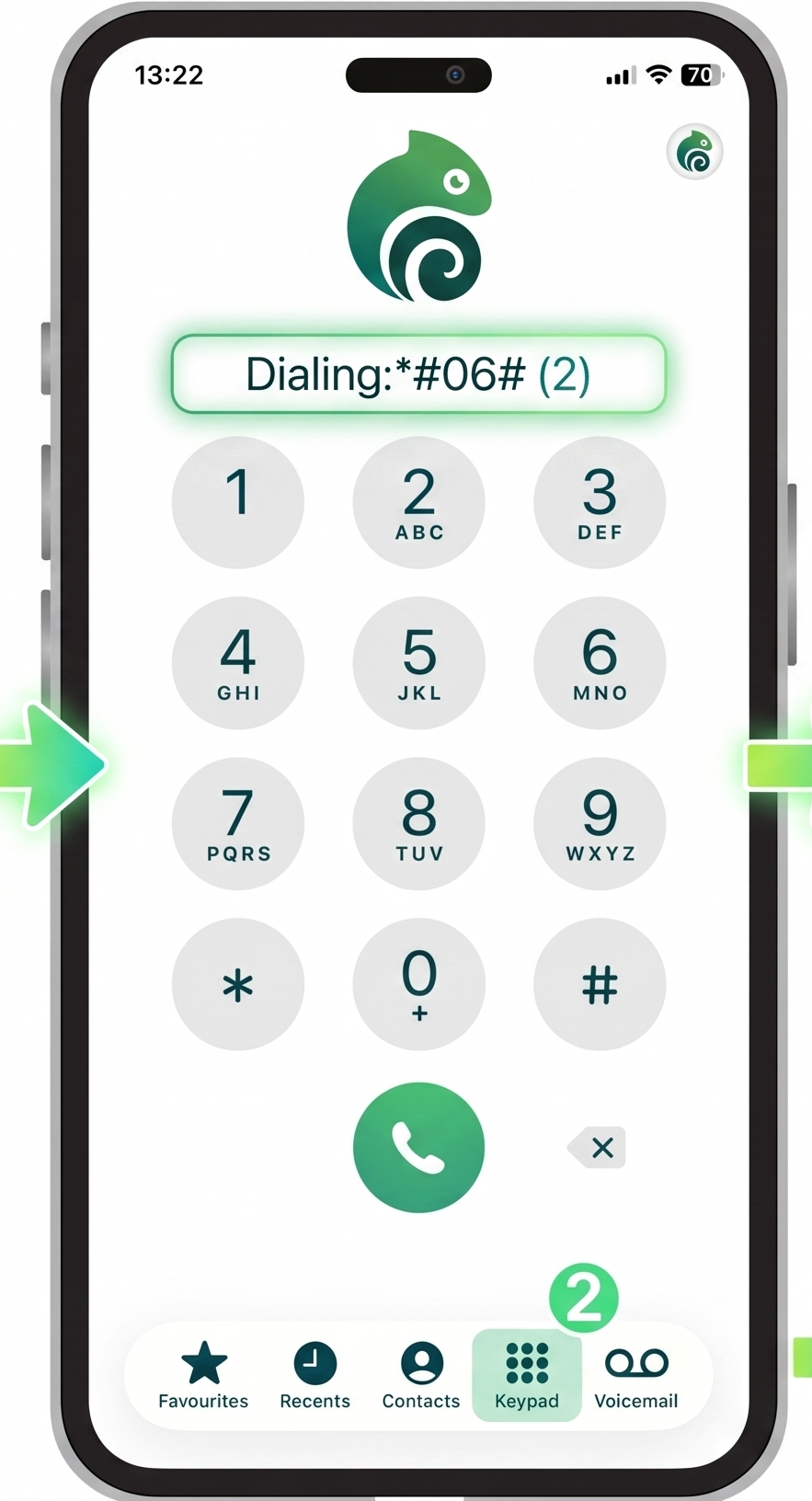
The fastest way is to dial *#06# on your phone. If an EID number appears, your device supports eSIM technology.
You can also verify compatibility directly from your phone settings. Since the process differs between iPhone and Android devices, follow the guides below.
Check eSIM Compatibility with a Dial Code
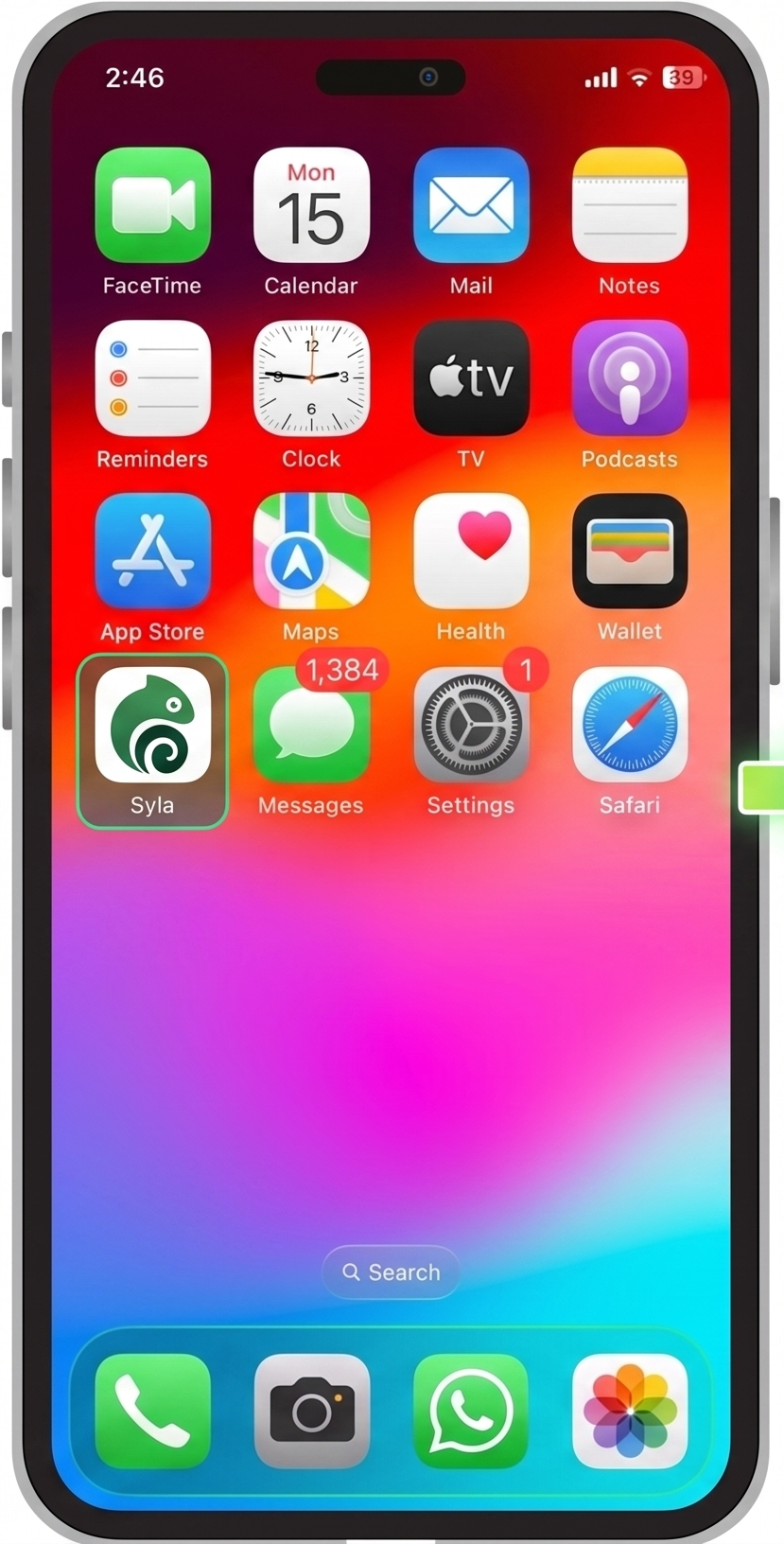
Dial *#06# from your phone’s dialer.
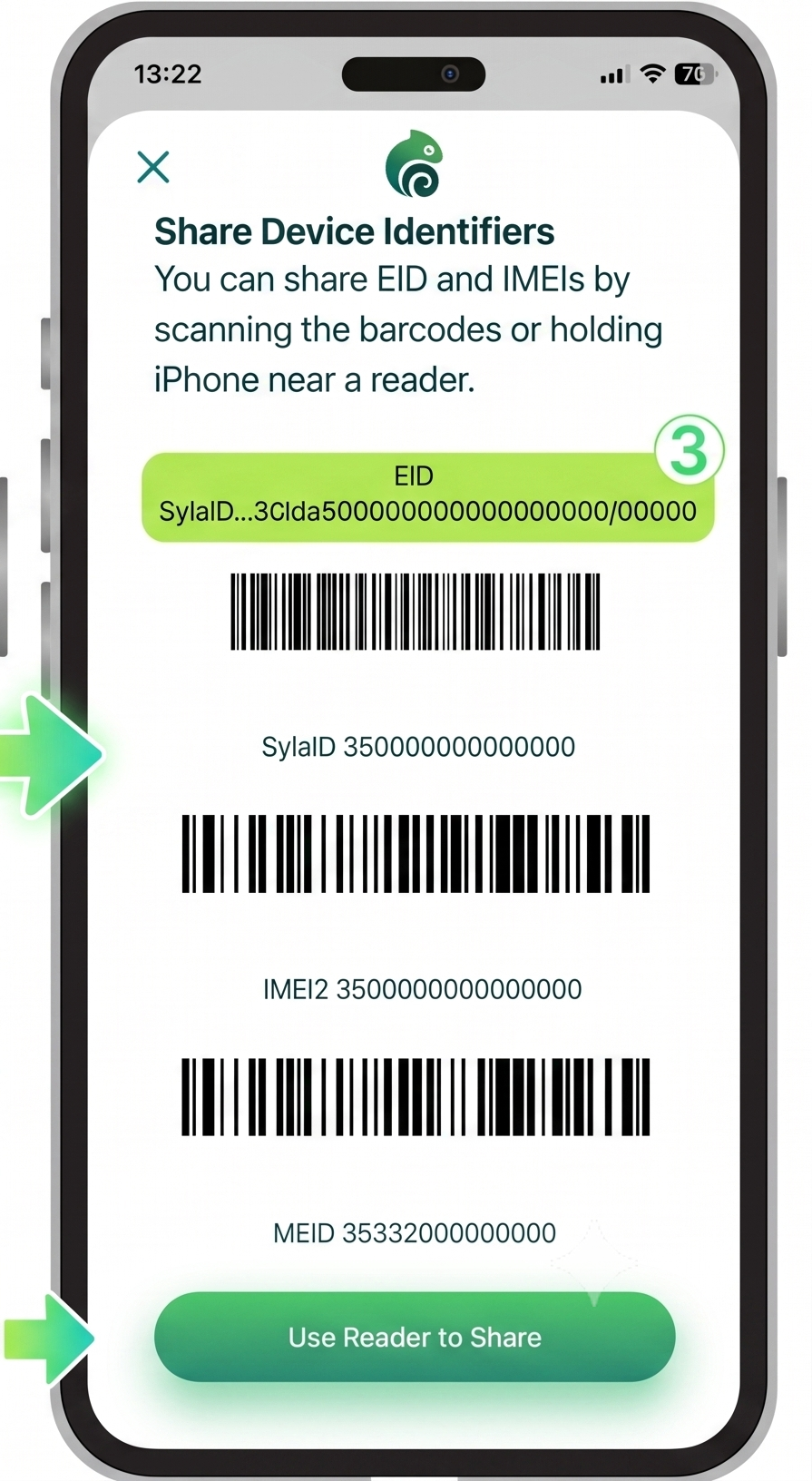
If the information screen displays an EID (Embedded Identity Document), your phone supports eSIM.
If you only see IMEI numbers and no EID, your device does not support eSIM and can only use physical SIM cards.
This check does not place a call. The device information screen opens automatically after entering the final #.
Check eSIM Compatibility in Your Mobile Settings
You can also verify eSIM support directly from your phone settings.
The exact path depends on your operating system.
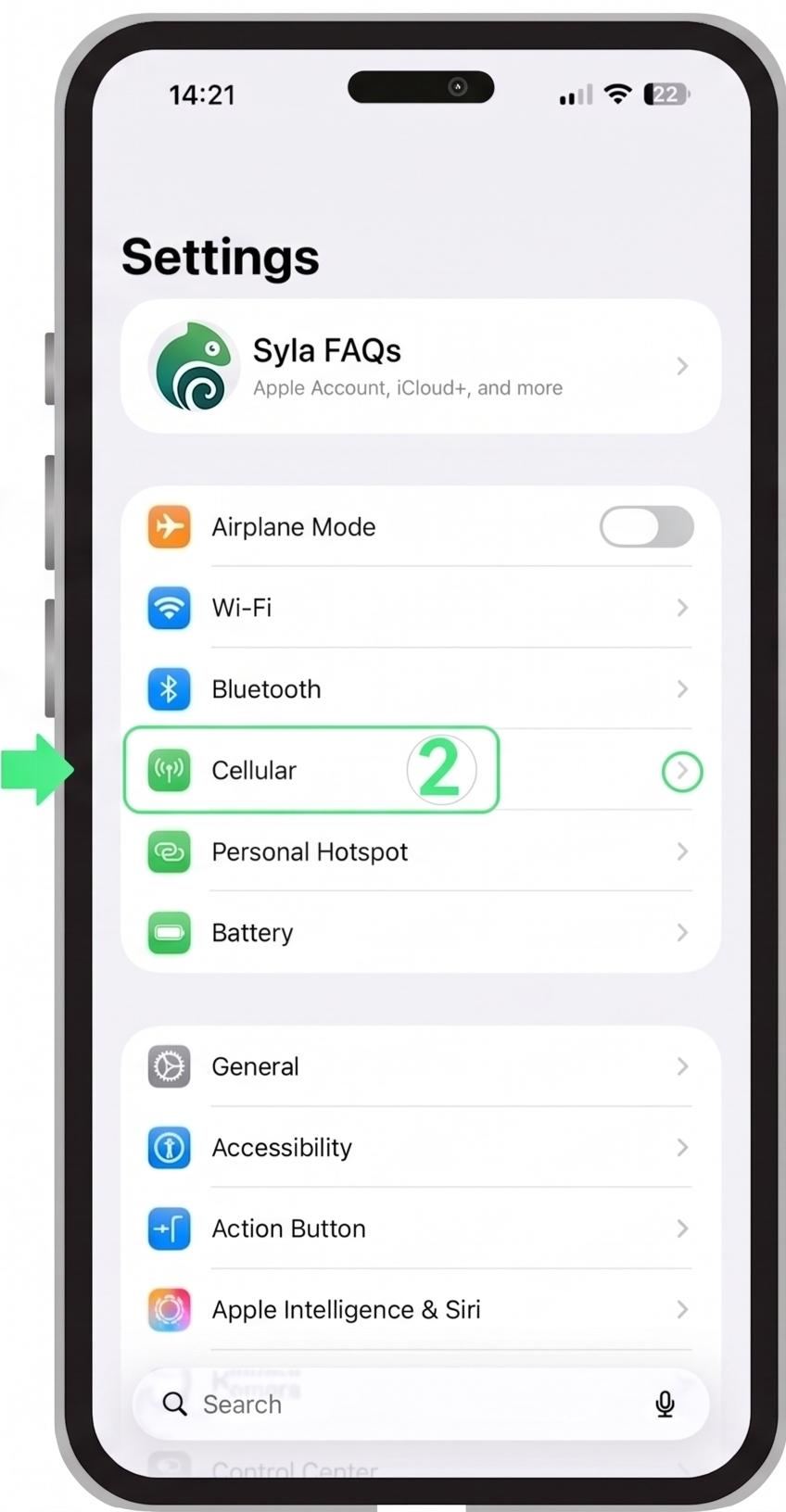
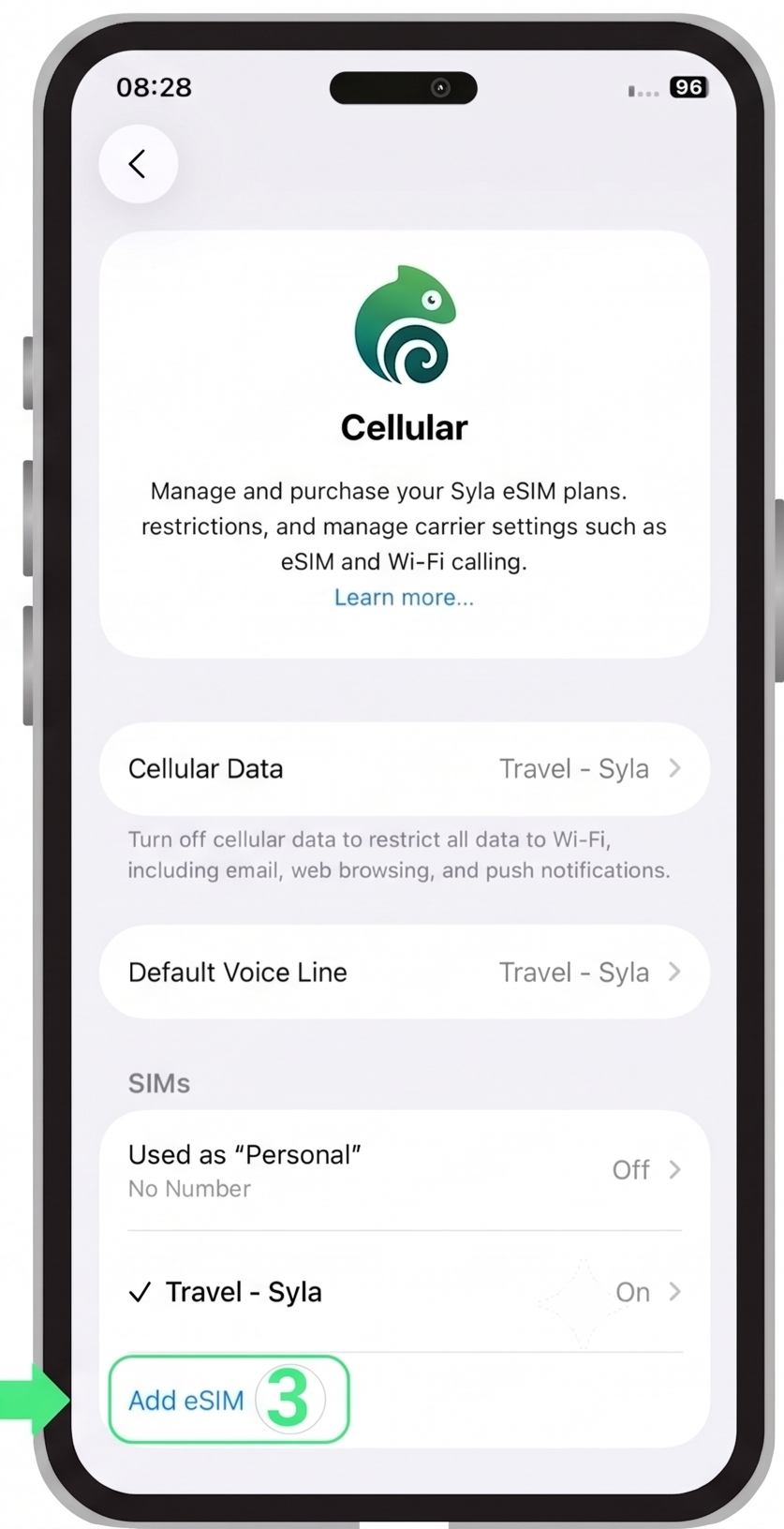
How to Find eSIM on iPhone
Checking eSIM support on iPhone is simple and works similarly across supported models.
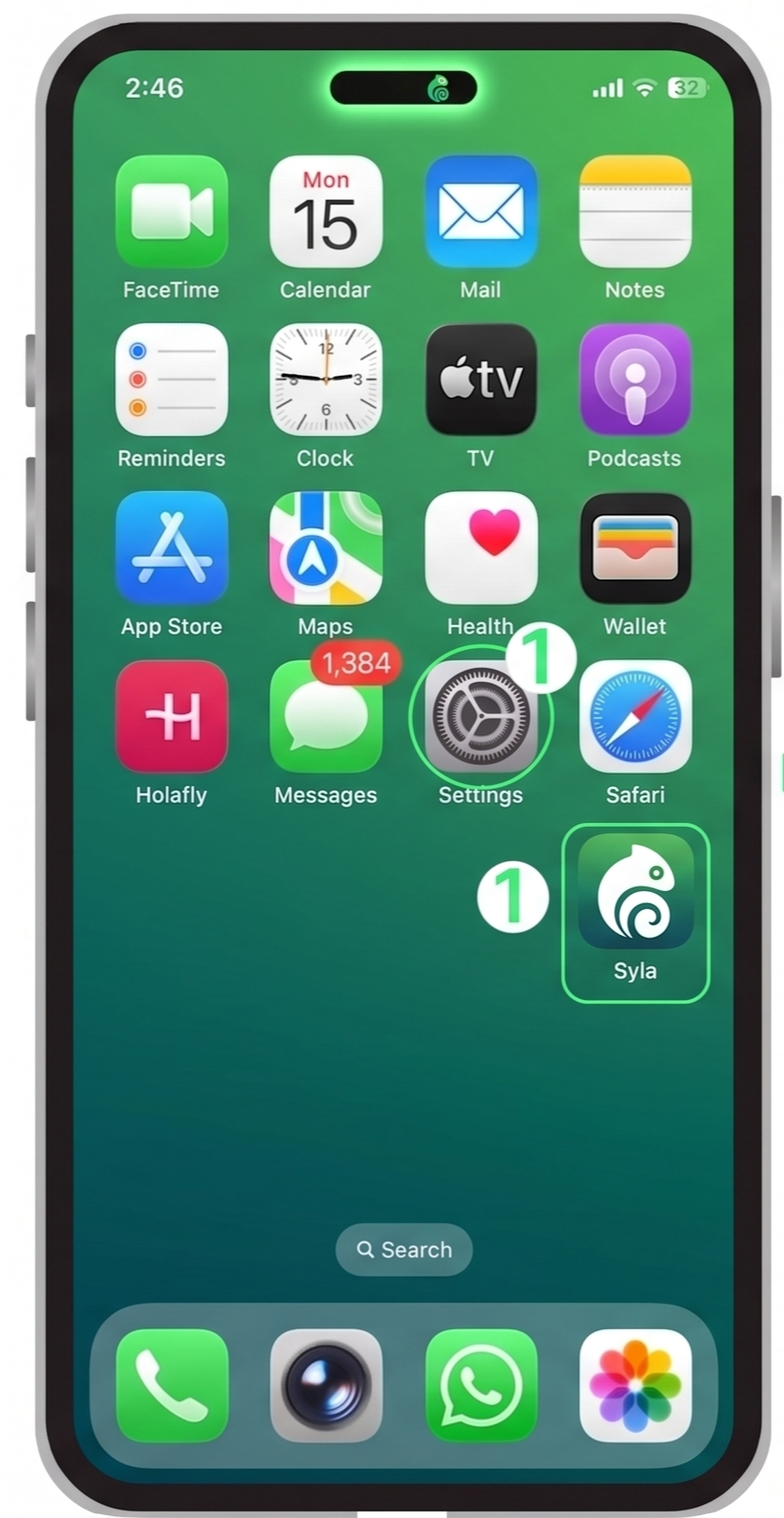
- 1. Open Settings
- 2. Tap Cellular or Mobile Service
- 3. Look for Add eSIM
If the Add eSIM option appears, your iPhone supports eSIM.
How to Find eSIM on Android
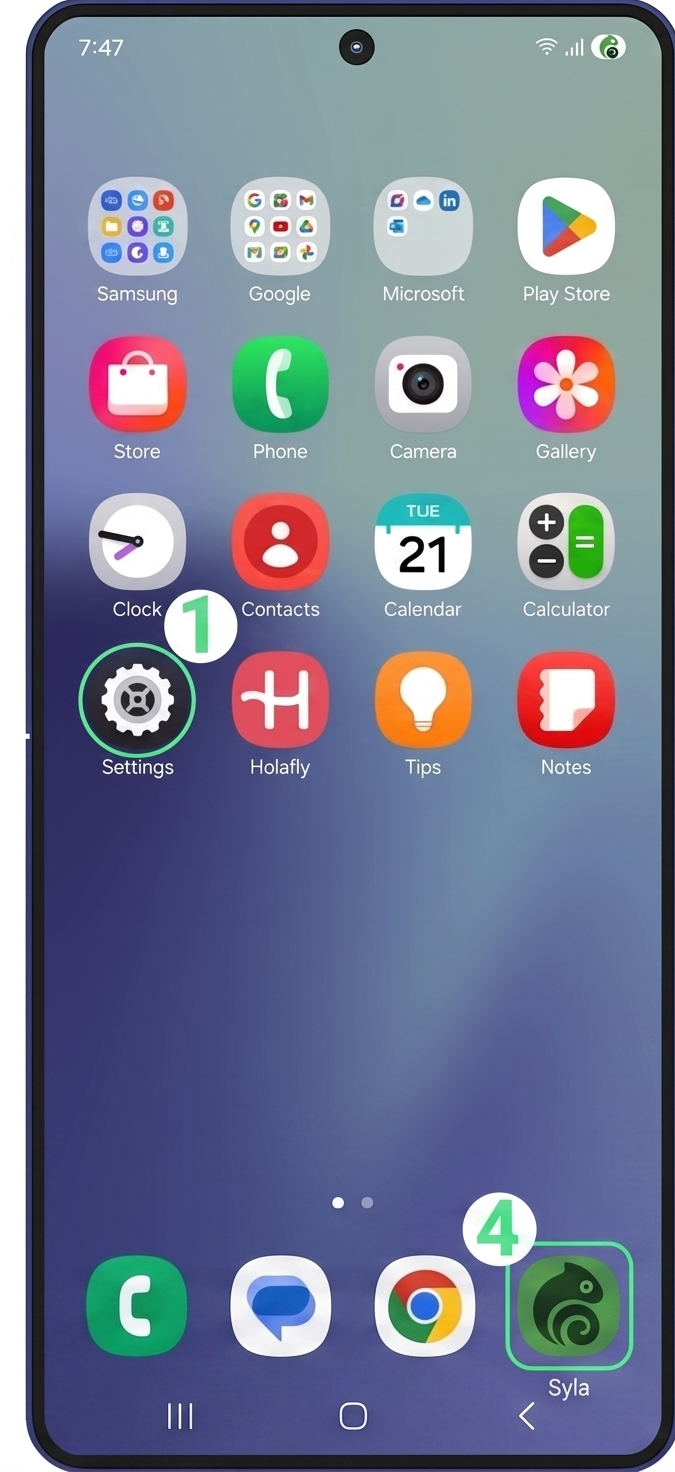
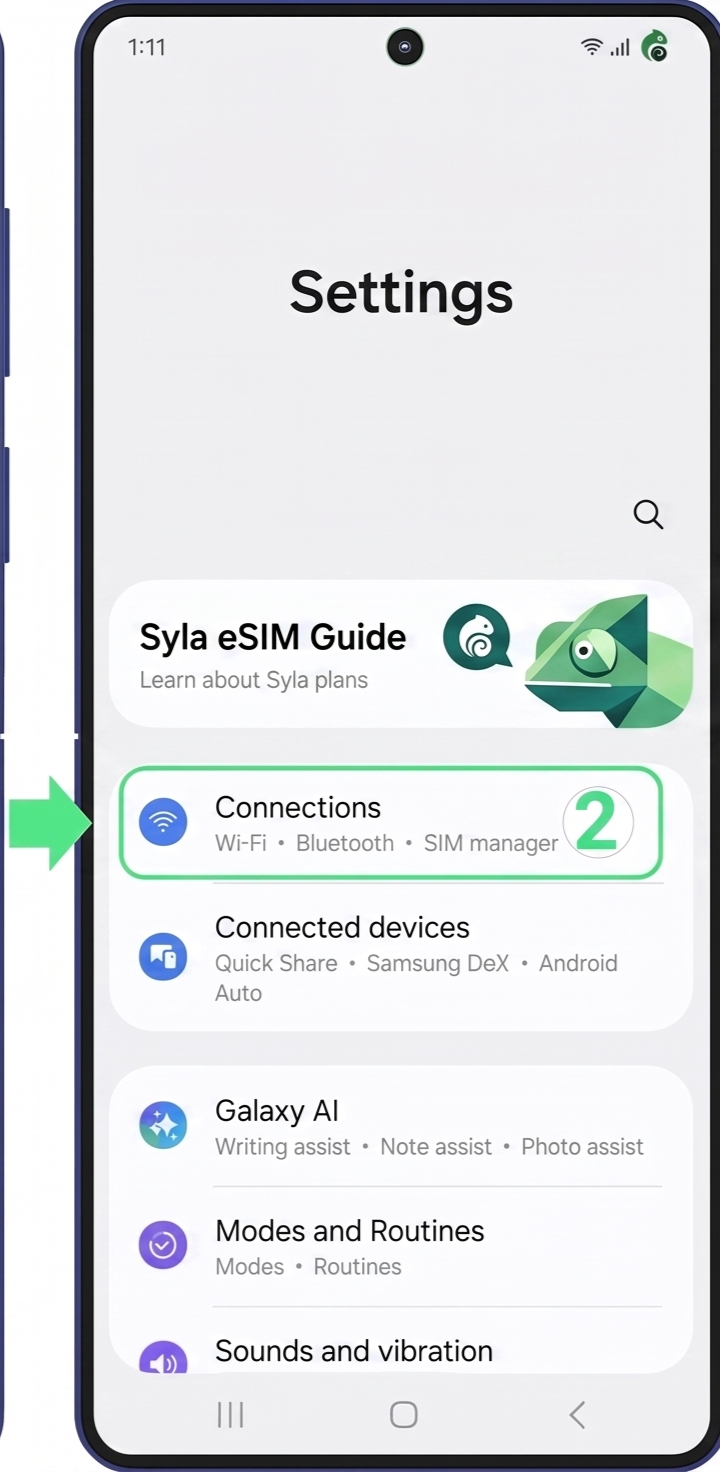
The exact menu path may vary depending on the manufacturer.
- 1. Open Settings
- 2. Select Connections
- 3. Tap SIM Manager
- 4. Look for Add eSIM
If the Add eSIM option is available, your Android device supports eSIM.
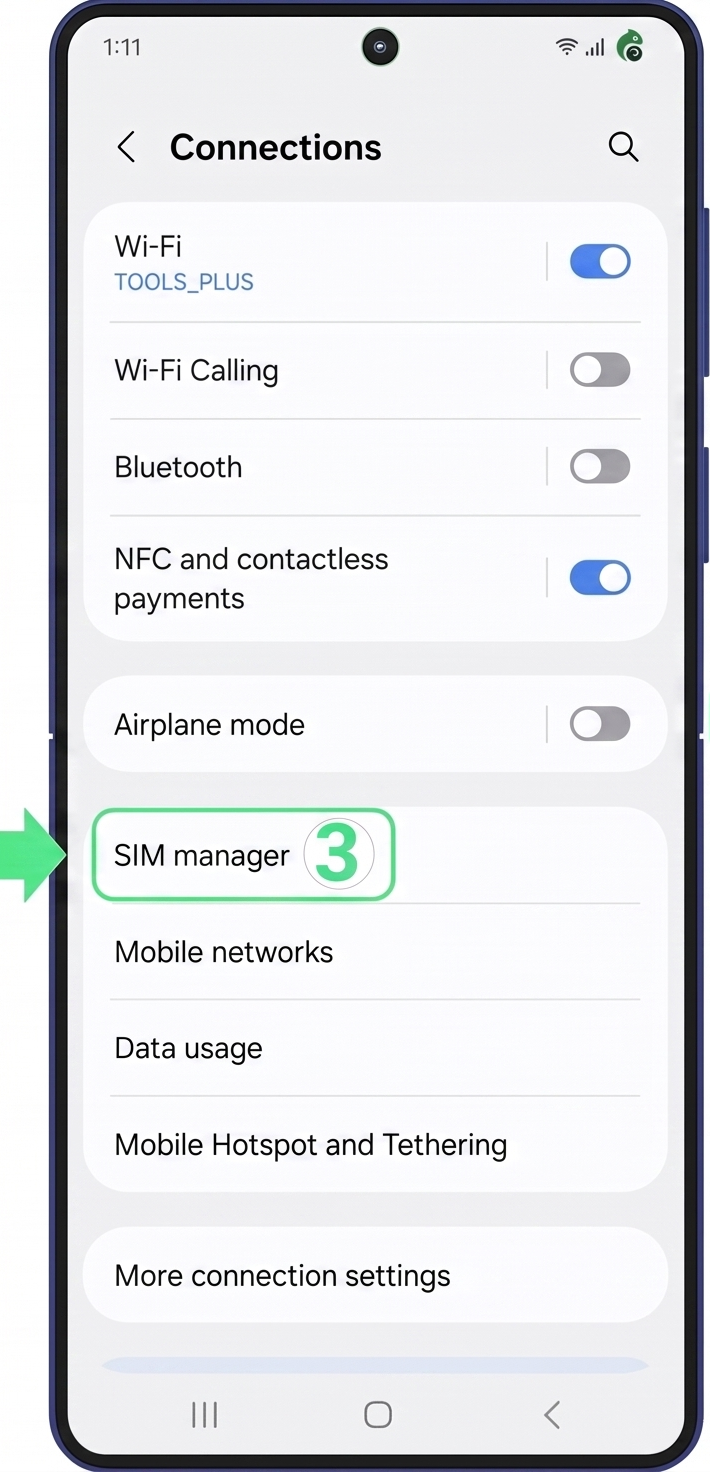
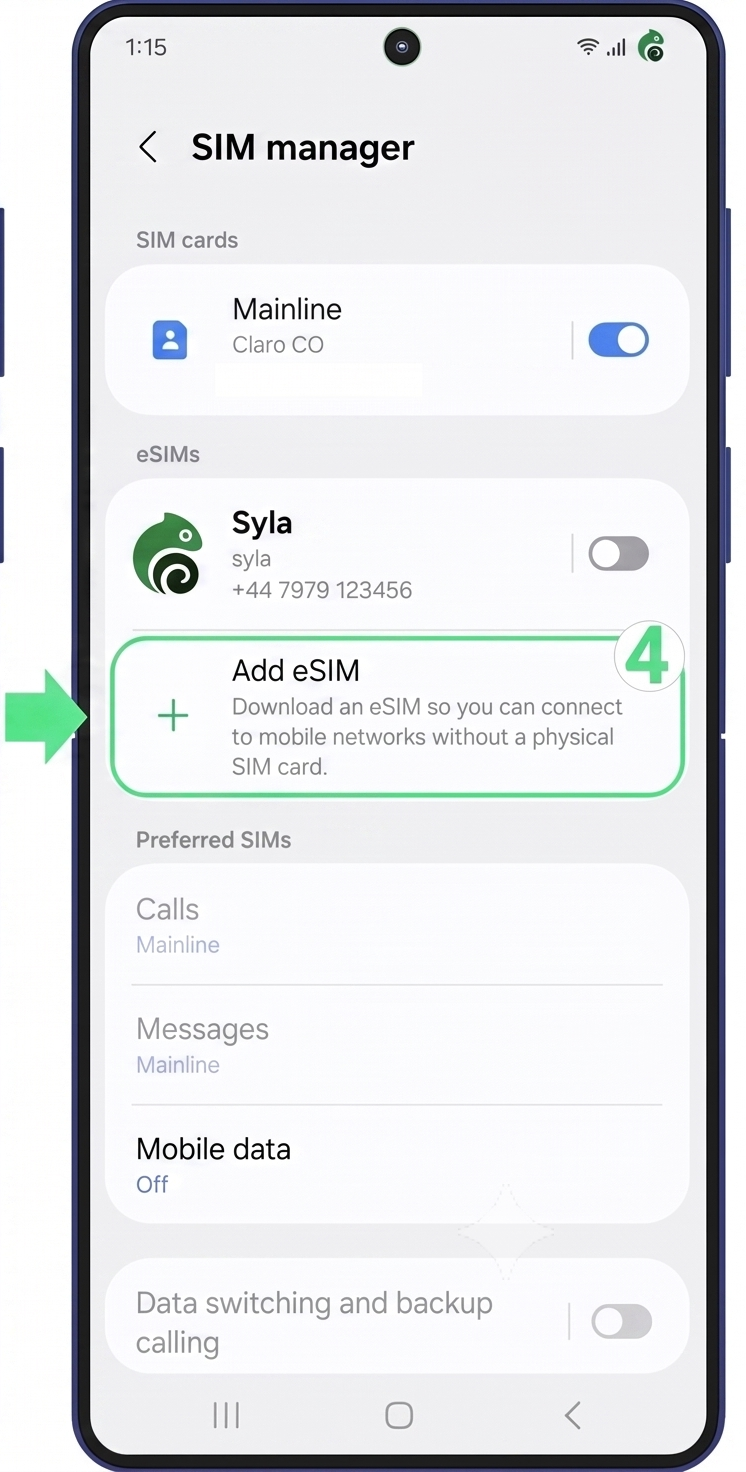
If you're using a Google Pixel, Motorola, Xiaomi, Huawei, or another Android brand, the menu path may vary slightly.
Things to Keep in Mind
- Some phones are restricted to a specific carrier, which may prevent eSIM activation.
- The country of manufacture can affect eSIM compatibility.
- eSIM availability can vary between versions of the same phone series.
What to do if your phone is not eSIM compatible?
If your phone doesn't support eSIM, you still have several options.
Use Another Device
Install the eSIM on another compatible smartphone or tablet.
Save It for Later
Keep the eSIM until you upgrade to a compatible device.
Share It
Give the eSIM to a friend or family member with a compatible phone.
Can I use a Syla eSIM on a carrier-locked device?
Still Need Help?
Our support team is ready to assist you 24/7
Live Chat
Chat with our support team
Email Support
Send us an email anytime
Phone Support
Call us for immediate assistance